


Know The Law
How Can You Check The Status Of Pending Cases In Indian High Courts Online?

3.1. Ways To Search A Pending High Court Case
4. Step-By-Step Process To Check Pending High Court Cases Online 5. What Details Can You Find Online?5.1. Current Stage Of The Case
6. Information Usually Displayed Online 7. What If Your Case Is Not Found Online?7.1. If You Cannot Find Your Case
8. Can You Check Case Status Using A Mobile Phone? 9. Difference Between CNR Number And Case Number 10. Crucial Legal Frameworks Behind Court Digitization 11. What Is A CNR Number?11.1. How To Search By Party Name
11.2. How To Search By Advocate Name
12. Difference Between Pending And Disposed Cases 13. How To Download Court Orders? 14. How To Check The Next Hearing Date 15. ConclusionChecking the status of pending cases in Indian High Courts is simple and highly accessible online. You can easily track your matter by visiting the official government eCourts services portal or by downloading the official eCourts Services mobile app for on-the-go updates. Additionally, every state’s High Court maintains its own dedicated website where case records are uploaded and updated regularly. To run a search, you just need basic details such as your unique 16-character CNR number, the case registration number, or simply the party or advocate's name. Once you enter this information and solve the security captcha, you can instantly view your entire case history. This allows you to check past orders and find your next scheduled hearing date without needing to contact a lawyer for routine updates.
How Can You Check The Status Of Pending Cases In Indian High Courts Online?
The process of checking pending litigation status online relies on central databases built over the last two decades. You no longer have to depend solely on manual diaries kept by court clerks or back-and-forth updates from legal representatives. Online tracking lets you verify the exact status of your matter independently. This transparency ensures that parties are aware of critical milestones, such as when a counter-affidavit is filed, when an interim order is passed, or when the next hearing date is officially assigned.
Can You Check High Court Case Status Online?
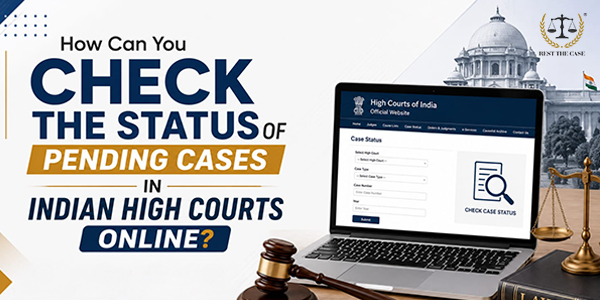
Yes, you can check the status of any case across all 25 High Courts in India. The process has been centralized through national digital platforms, although individual High Courts also maintain their own dedicated standalone portals. As seen in the official eCourts portal, the platform is designed to let users search for records through multiple data points. Whether you have an official case classification number or just the name of one of the parties involved, the database can parse millions of active files to find your specific record.
What Information Do You Need Before Searching?
Before opening a tracking portal, gather as many identifiers as possible. While you do not need every single detail, having specific parameters will help you filter out unrelated cases with similar titles.
Case Number
This is the most common identifier. A standard case number consists of three distinct parts: the Case Type (such as WP for Writ Petition, CRLA for Criminal Appeal, or CompA for Company Appeal), the Sequential Filing Number assigned by the registry, and the Filing Year (e.g., WP/1024/2024).
Filing Number
When a case is first submitted at the filing counter or e-filing portal, it receives an initial entry marker known as the "filing number." This is different from the final registration number. If a case is still undergoing scrutiny by the registry for technical errors (termed as "defects"), it might only be searchable via this temporary filing number.
Party Name
If you do not have the exact numbers, you can search using the name of either the Petitioner/Appellant (the person who filed the case) or the Respondent (the defending party). When searching by party name, it helps to know the exact filing year to avoid sifting through hundreds of matches across the state.
Advocate Name
Every practicing advocate registered with the High Court has an enrollment number. The system tracks files based on the primary legal counsel representing either side. If your legal counsel is managing the matter, searching their name combined with the court name can surface the active listing.
CNR Number (Where Available)
The Case Number Record (CNR) is a unique 16-character alphanumeric code assigned automatically to every single legal matter filed in India under the eCourts ecosystem. It acts as a permanent identifier that remains unchanged, even if the case is transferred to a different bench, court, or category.
Ways To Search A Pending High Court Case

Step-By-Step Process To Check Pending High Court Cases Online
To track a case file successfully, use the following sequence on either the national eCourts Services portal or the specific High Court website.
- Select The Relevant High Court: Navigate to the official eCourts High Court portal or visit the direct web address of the specific state High Court (e.g., Delhi High Court, Bombay High Court, or High Court of Karnataka). Select the specific state and the physical bench location if the court operates out of multiple cities.
- Choose The Search Method: Look for the "Case Status" option on the navigation sidebar. Select your preferred search parameter from the available tabs: CNR Number, Case Number, Party Name, Filing Number, or Advocate Name.
- Enter The Required Details: Fill in the data fields based on your chosen tab. If you select "Case Number," use the drop-down menu to pick the exact case type prefix, enter the digits, and input the correct four-digit calendar year. If searching by party name, type the name accurately; partial names are accepted but yield broader results.
- Verify the Captcha: Input the alphanumeric visual security code or complete the simple math puzzle displayed on the screen. This step prevents automated scripts from overloading the public judicial servers.
- View The Case Status: Click the "Search" or "Go" button. The portal will display a summary list. Click on the hyperlinked case number or "View" button to expand the complete case history, including order sheets, next hearing timelines, and bench details.
What Details Can You Find Online?
Once you successfully locate and click on your case entry, the portal opens a unified digital dashboard. This screen provides a clear overview of the lawsuit's progress.
Current Stage Of The Case
This field reveals exactly what stage the litigation is in. Common entries include:
- Fresh / Admission: The court is deciding whether the case has enough legal merit to be formally heard.
- Notice Stage: The court has ordered that formal summons or notices be served on the respondents.
- Pleadings Complete: Both sides have submitted their written arguments and counter-affidavits.
- Hearing / Arguments: Final verbal debates are underway before the bench.
Next Hearing Date
The portal shows the next scheduled date for the matter to be called before the judge. It will also specify whether the date is "Fixed" by the judge or "Tentative/Business," which means it is an automated date assigned by the system based on standard court calendar intervals.
Case History
This section contains a chronological list of every past event since the case was opened. It details when the case moved between benches, previous hearing dates, and which judges have presided over the matter over time.
Orders And Judgments
High Courts regularly upload signed digital copies of their daily orders and final judgments. This section allows you to download PDF copies of interim stays, procedural directions, and final verdicts without requiring a certified paper copy from the court registry.
Information Usually Displayed Online
- Case Details: Displays the fundamental identifiers of the case, including the official registration number, registration date, filing number, and specific allocation date.
- Parties' Names: Lists the complete, legal names of both the petitioners (those filing the case) and the respondents (the opposing party), along with their registered state or city location.
- Current Stage: Highlights exactly what is happening with the case right now by showing the current action item (such as "For Orders," "For Admission," or "For Final Hearing").
- Next Hearing Date: Provides the exact upcoming date the case will be heard, along with the specific assigned Court Room number.
- Case History: Tracks the entire journey of the case, offering a complete chronological timeline of all previous listing dates and Coram details (the specific judges who heard it).
- Orders & Judgments: Gives you access to the actual legal rulings, providing downloadable PDF links of all court orders arranged by the exact date they were passed.
- Bench Details: Clarifies the judicial makeup handling the case—specifically whether the matter is before a Single Bench (one judge) or a Division Bench (two or more judges)—along with the full names of the presiding judges.
What If Your Case Is Not Found Online?
It can be alarming if a search returns "Record Not Found." However, this does not mean your case has vanished. This error usually stems from administrative lag or a simple data entry mismatch.
If You Cannot Find Your Case

Can You Check Case Status Using A Mobile Phone?
You do not need a desktop computer to track active litigation. The Ministry of Law and Justice, alongside the e-Committee of the Supreme Court of India, offers a dedicated mobile application called eCourts Services, available for both Android and iOS devices. The app allows you to save cases to a personalized "Watchlist" or "My Cases" tab. Once saved, the app caches the details so you can view them offline and provides automated alerts whenever a next hearing date changes or a new judicial order is uploaded. Alternatively, you can configure SMS push notifications by sending a standardized text format to 9766899899 (SMS escort <CNR Number>) to get immediate status responses back via text message.
Difference Between CNR Number And Case Number
While both terms sound similar, they serve different functions within the judicial database ecosystem.
- Case Number: This is a localized, court-specific label. For example, "WP 450 of 2023" can exist simultaneously in the Bombay High Court, the Madras High Court, and the Delhi High Court. To find a file using this number, you must manually specify the exact state, the court, and the year.
- CNR Number: This is a globally unique identifier. It contains a distinct state code, court complex code, case type code, filing sequence, and year, all compressed into a single 16-character string. No two cases in India will ever share the same CNR number. Entering a CNR number takes you straight to your file without requiring any other search filters.
Crucial Legal Frameworks Behind Court Digitization
The systems we use today to view case records online are built on major national policy transformations.
e-Courts Mission Mode Project
This is a national initiative overseen by the e-Committee of the Supreme Court of India and the Department of Justice. Launched under the National e-Governance Plan (NeGP), its primary goal is to make the justice delivery system affordable, accessible, and transparent. The open-access case information systems (CIS) used by every High Court registry are a direct result of this project.
High Court Rules And Practice Directions
While the underlying search software is highly standardized, every individual High Court retains constitutional autonomy under Article 227 of the Constitution of India. This means individual courts can set their own rules and practice directions regarding data management. For example, some High Courts restrict search access for sensitive matters like family disputes, while others may take longer to upload daily orders based on internal screening timelines.
Information Technology In Judicial Administration
Modern judicial administration relies heavily on secure electronic platforms. Digital data systems handle automated cause-list generation, digital signature verification for orders, and real-time electronic filing (e-filing). This reduces manual paperwork and ensures that records are updated quickly and transparently.
What Is A CNR Number?
The Case Number Record (CNR) is a unique 16-character alphanumeric code assigned to every case filed across digitized Indian courts. Think of it as a permanent digital fingerprint for a lawsuit. It allows you to access case details across platforms without needing to know specific case numbers or filing years.
How To Search By Party Name
When searching by party name, type the primary name into the text box. If you are uncertain of the exact spelling used in the petition, use the "Contains" or "Starts With" filter options if available. Always input the approximate filing year to avoid getting hundreds of unrelated results with common surnames.
How To Search By Advocate Name
To search by advocate name, enter either the counsel's full name or their official State Bar Council enrollment number (e.g., MAH/1234/2015). This pulls up a clean list of all active or pending matters where that specific advocate is listed as the primary legal representative.
Difference Between Pending And Disposed Cases
- Pending Case: The litigation is active. Future hearings are being scheduled, pleadings are still being filed, and a final ruling has not yet been handed down.
- Disposed Case: The court has concluded its proceedings. A final judgment, dismissal, or compromise decree has been officially signed and entered into the record, closing the matter.
How To Download Court Orders?
To download a court order, open your specific case dashboard, scroll down to the "Orders/Judgments" table, and locate the row matching the relevant hearing date. Click the hyperlinked icon or text (usually a PDF link). If prompted, fill in the security captcha to open or save the official order document.
How To Check The Next Hearing Date
The next hearing date is displayed directly at the top of the case summary page. If the date has passed and a new one hasn't appeared, it means the case is currently in the registry queue waiting for the next date assignment, or it was adjourned without a fixed return date (adjourned sine die).
Conclusion
The digitization of the Indian judiciary has made tracking legal matters simpler and more transparent. By using tools like the eCourts platform and unique identifiers like the CNR number, litigants and legal professionals can easily stay updated on case progress, hearing dates, and court orders from anywhere. While administrative delays or data entry errors can occasionally happen, checking case status online remains the most efficient way to stay informed and navigate the legal system with confidence.
Disclaimer: This blog is for informational purposes only. If you need legal consultation, please contact an experienced civil lawyer.
Frequently Asked Questions
Q1. How can I check the status of a pending High Court case online?
You can visit the official national eCourts Services website or go directly to the specific High Court portal for your state. Navigate to the "Case Status" section, select your preferred search parameter (such as Case Number, Party Name, or CNR Number), input the details, and verify the captcha to view the live dashboard
Q2. Can I search using my name instead of the case number?
Yes, you can use the "Party Name" search option. Enter your full name in the designated field and specify whether you are the petitioner or respondent. Providing the approximate filing year will help refine your search results.
Q3. What is a CNR number?
A Case Number Record (CNR) is a unique 16-character alphanumeric code automatically assigned to every legal matter filed in India. Because it is globally unique, it allows you to instantly pull up your case history without needing to enter additional details like the state, district, or filing year.
Q4. Can I check the next hearing date online?
Yes. The next hearing date is updated on the case summary page once it is officially listed by the court registry. The portal will also state whether the date is fixed by the bench or is a tentative placeholder assigned by the automated system.
Q5. Can I download High Court orders?
Yes, High Courts regularly upload digital copies of their daily orders and final judgments. You can access and download these as PDF files from the "Orders and Judgments" tab within your specific case page.

 Get Expert Advice and Solutions
Experienced lawyers for all legal matters wether it is for Family, Property, Criminal Cases, and More
Consult Now